Redesigning Trust Hub — TransBnk
Category
UX Design · Product Design · Enterprise / Fintech
/
/

TransBnk(now TBX) is a Mumbai transaction-banking platform that sits between banks and financial institutions — escrows, treasury, payments, supply chain finance — delivered through APIs in partnership with banks. Trust Hub is their client-facing platform, where corporate customers manage escrow programs, track deals through signature, and pull the documents those deals depend on.
I joined as a UX intern and was asked to redesign it. The brief I was given was that the existing platform felt cluttered and dated.
That's the brief I received. It isn't the problem I ended up working on.


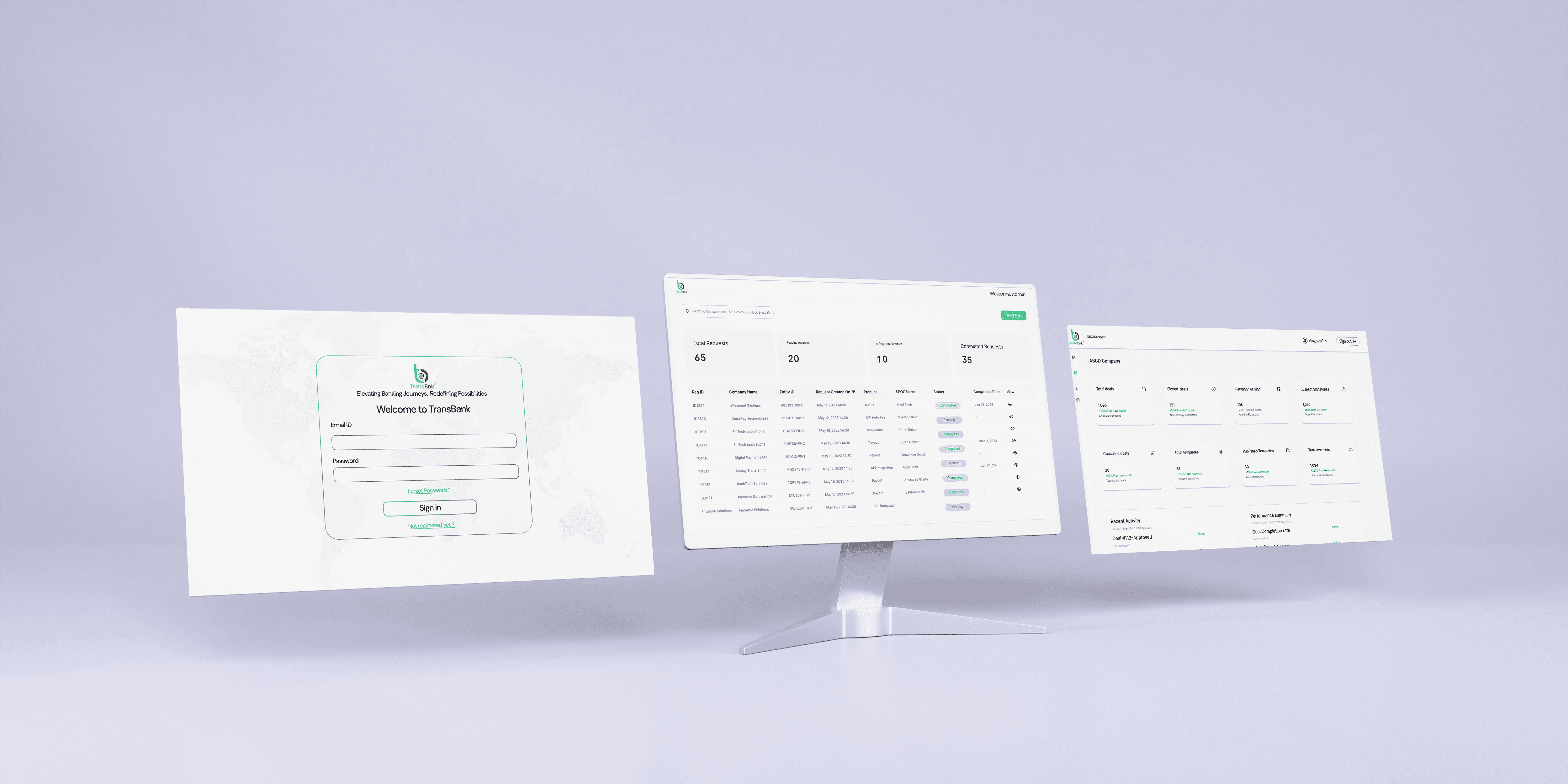
The visual clean-up was the easy half. A consistent card system, a persistent sidebar and header, restrained use of the brand green, a program switcher in the header so the whole view scopes to one escrow program. That work was necessary and it made the platform feel modern. But a week in, I had a screen that looked considerably better and did exactly what the old one did, which is when the more interesting problem surfaced.
Eight metric cards, all shouting equally. The dashboard presented total deals, signed deals, pending for sign, suspect signatories, cancelled deals, total templates, published templates and total accounts — each in an identical card, identical size, identical weight. "Total templates: 87" occupied the same visual space as the count of signatories flagged by automated screening.
That's not a layout problem. On an escrow platform, some of those numbers are things you look at and some are things you act on, and the design made no distinction between them.
Then I found the colour bug, and it reframed the whole project. Every card showed a month-over-month delta in green or red. Suspect signatories: +15.3%, in green. Pending for sign: −2.5%, in red.
The colour was encoding the direction of the change, not whether the change was good. A fifteen percent rise in flagged signatories — a fraud-risk signal on a platform whose entire product is trust — was rendered as a positive. A fall in documents waiting for signature, which is unambiguously good, was rendered as a warning. Roughly half the cards were semantically inverted, and because the rule was applied consistently, nothing looked broken.
What I changed. The dashboard is now ordered by consequence. A "Needs attention" band sits at the top with three larger cards — flagged signatories, deals ageing past seven days without signature, and rising cancellations — each carrying a plain-language note and a specific action rather than just a number. The routine portfolio figures drop to smaller tiles below. Templates and accounts move into a panel explicitly labelled as requiring no action, because that's what they are.
Colour now carries judgement and the arrow carries direction, so pending-for-sign reads as ▼ 2.5% in green. I also added the word "better" or "worse" beside each delta, so the meaning survives for anyone who can't reliably separate the two colours.
The download centre had the opposite problem. Seven identical cards, every one labelled "API download", every one 2.4 MB, every one dated the same day. Placeholder content, but it revealed that the card had never been tested against what clients actually download — API specifications, master agreements, KYC checklists, Postman collections, settlement reports. I rebuilt it as a sortable list with file-type badges, version numbers, the product each document belongs to, and last-updated dates. A list rather than a grid, because these get scanned and compared rather than browsed.
The lesson wasn't visual. I was handed a brief about clutter and found a semantics problem underneath it — the interface was fluent, consistent and confidently wrong about which numbers mattered. Nobody had caught it because the rule was applied evenly, and consistent errors are much harder to see than sloppy ones.
What I'd do differently: the dashboard hierarchy is still my judgement about what an escrow operations team cares about, not theirs. I'd want to sit with actual Trust Hub users and watch which numbers they check first on a Monday morning, then reorder against that rather than against my reasoning. I'd also want to see whether "needs attention" stays useful when a client has three flagged items or thirty.
Two months, as a UX intern, on a platform with real clients. The most useful thing I learned is that the brief you're given is rarely the problem you should solve.

